
Many users search for a MyFlixer app because they want to watch movies and TV shows on a phone, tablet, Android TV device, or streaming device. The search can be confusing because the MyFlixer name appears in different places, including app-store listings, third-party APK sites, clone pages, and fake download pages.
The simple answer is this: users should be very careful with anything called a MyFlixer app. Some app-store listings using the MyFlixer name describe themselves as movie discovery or information apps, not streaming apps. Third-party APK downloads are even riskier because they may bypass normal app-store review.
This guide explains what users need to know before downloading anything with the MyFlixer name. It covers app-store confusion, APK risks, fake app pages, permissions, privacy, malware, and safer legal streaming apps.
Important note: This article is for educational purposes only. It does not provide MyFlixer app download links, APK links, mirror links, proxy links, working domains, or instructions for accessing unauthorized streaming services.
Quick Answer: Is There a Real MyFlixer App?
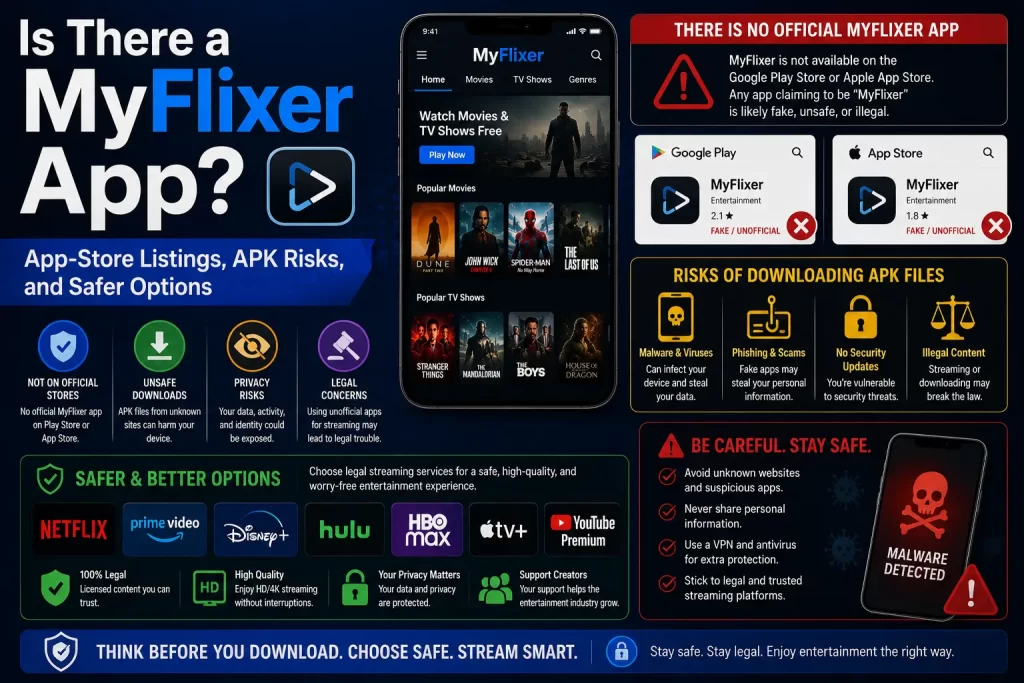
There are app-store listings using the MyFlixer name, but users should not assume they are official streaming apps. Some listings describe themselves as movie discovery, trailer, or entertainment information apps rather than apps for watching full movies or TV shows.
For example, one Google Play listing using the MyFlixer name says the app does not stream or host movies or TV shows. Another Google Play listing says the app does not stream or download movies and is for informational and entertainment purposes only. Apple’s App Store also shows a MyFlixer-named listing focused on movie discovery, trailers, and recommendations.
This means the name alone is not enough to trust the app. Users should read the app description, developer details, permissions, privacy information, and reviews before installing anything.
The safest choice is to use official apps from licensed streaming services, not unknown MyFlixer APKs or pages claiming to offer a streaming app.
Related guide: What Is MyFlixer? Safety, Legality, Risks, and Legal Alternatives Explained
Why the MyFlixer App Search Is Confusing
The MyFlixer app search is confusing because users may see different types of results that look similar but are not the same.
Search results may include:
- Movie discovery apps using the MyFlixer name
- Apps that show trailers, ratings, and movie details
- Third-party APK download pages
- Fake app download buttons
- Clone sites claiming to offer a mobile app
- Pages promising free movie streaming
- Unsafe download pages outside official app stores
- Videos or guides that claim to explain how to use the app
The problem is that a user may search for a streaming app but find something completely different. Some apps may only help users discover movies. Some pages may push APK downloads. Some sites may use the MyFlixer name to attract clicks.
What Current App-Store Listings Say
Current app-store listings using the MyFlixer name should be read carefully.
One Google Play listing titled “MyFlixer: Watch Movies,TV Show” says the app does not stream or host movies or TV shows. It describes the app as a way to discover films, trailers, and entertainment information.
Another Google Play listing titled “MyFlixer: Watch Movies, Series” says it helps users find what to watch, stay updated on new releases, and get movie suggestions. It is described as a discovery-style app.
A different Google Play listing says the app does not allow users to watch, stream, or download films or series, and only provides information. Apple’s App Store also shows a MyFlixer-named listing focused on movie discovery and recommendations.
The key takeaway is simple: a MyFlixer-named app in an app store may not be a streaming app. Users should not install it expecting full movie streaming unless the listing clearly and legally explains what it provides.
Streaming App vs Movie Discovery App
A streaming app and a movie discovery app are not the same thing.
A legal streaming app lets users watch licensed movies, shows, or live channels. It usually has official company ownership, subscription or ad-supported terms, content rights, account settings, app-store privacy information, and customer support.
A movie discovery app usually helps users find information. It may show:
- Movie titles
- Trailers
- Cast details
- Ratings
- Reviews
- Release dates
- Recommendations
- Watchlist features
Discovery apps can be useful, but they should not be confused with legal streaming services. If an app says it does not stream or download movies, users should take that statement seriously.
MyFlixer APK Download Risks
Users should avoid MyFlixer APK downloads from third-party websites.
An APK is an Android app installation file. APK files are not always harmful, but APK downloads from unknown websites can be risky because they may bypass normal app-store review and can contain unwanted behavior.
MyFlixer APK risks include:
- Malware hidden in the app
- Adware and pop-ups
- Spyware or data tracking
- Apps that redirect to unsafe websites
- Apps that collect login details
- Apps that request unnecessary permissions
- Apps that push fake subscriptions
- Apps that are difficult to remove
- Apps that pretend to stream content but only show ads
Research on unwanted Android apps has found that web downloads can be a riskier route for unwanted apps than official app-store environments. You can review the research paper here: How Did That Get In My Phone?
Fake MyFlixer App Pages
Fake app pages are common around popular streaming names. A page may claim to offer an official MyFlixer app, a new version, a working APK, a TV app, or a premium app. That does not prove the app is real or safe.
Fake app pages may try to:
- Push APK downloads
- Show misleading download buttons
- Collect email addresses
- Steal passwords
- Ask for payment details
- Redirect users to unrelated websites
- Install browser notifications
- Show fake virus warnings
- Promote suspicious apps
Do not trust a page just because it uses the MyFlixer name or logo. A fake page can copy branding and still be unsafe.
Related guide: MyFlixer Clone Sites: How to Spot Fake Streaming Websites
App Permissions to Watch Carefully
Before installing any entertainment app, check what permissions it requests. A movie discovery app should not need broad access to your private data.
Be careful if an app asks for access to:
- Contacts
- SMS messages
- Call logs
- Microphone
- Camera
- Location
- Files and photos
- Accessibility controls
- Notification access
- Install unknown apps permission
Some permissions may have a normal use in certain apps, but many are not needed for a simple movie information app. If the permission request feels unrelated to the app’s purpose, do not install it.
Privacy and Data Risks
Apps can collect more information than websites because they may have access to device-level data and permissions.
Possible privacy risks include:
- Device ID collection
- IP address tracking
- Location data
- App usage data
- Search and watchlist activity
- Email collection
- Advertising identifiers
- Third-party analytics
- Unclear data retention
- Unclear data deletion options
Before installing an app, read the data safety or privacy section. If the app does not clearly explain what it collects or why it collects it, avoid it.
Related guide: Is MyFlixer Safe? Malware, Fake Sites, Ads, and Privacy Risks Explained
Malware and Riskware Concerns
Malware is a key reason to avoid unknown MyFlixer app downloads.
The U.S. Federal Trade Commission warns that illegal video streaming apps and add-ons can expose users to malware that may steal personal and financial information. You can read the FTC guidance here: Malware from illegal video streaming apps.
Malwarebytes also has a detection page for a MyFlixer-related domain, saying it was associated with riskware and abused to spread scams, phishing, potentially unwanted programs, and malware. You can read it here: Malwarebytes: MyFlixer detection.
Users should avoid any app or page that asks them to install unknown software in order to watch a movie.
MyFlixer on iPhone vs Android
The risk is different on iPhone and Android, but caution is needed on both.
On iPhone, users usually install apps through Apple’s App Store. That can reduce some risk, but it does not mean every app is the official app a user expected. A MyFlixer-named app may still be a discovery or information app, not a streaming service.
On Android, users can install apps through Google Play, but they may also find third-party APK files online. This creates extra risk because unknown APKs can bypass normal app-store checks.
For both iPhone and Android, the safest rule is the same: use official apps from legal streaming platforms and avoid unknown downloads.
MyFlixer on Smart TV or Streaming Devices
Some users also search for MyFlixer on smart TVs, Android TV boxes, Fire TV-style devices, or other streaming devices. This can be risky if users are asked to sideload apps or install unofficial add-ons.
Streaming-device risks include:
- Unknown app packages
- Unofficial add-ons
- Malware on the device
- Risk to other devices on the same network
- Apps that are hard to remove
- Apps that show aggressive ads
- Unsafe login or payment screens
Use official apps from the device’s app store whenever possible. Avoid sideloading unknown streaming apps.
Legal Concerns Around MyFlixer Apps
A MyFlixer app or APK is not automatically legal just because it works or appears in search results. To be legal, a streaming app must have rights to show the content it offers.
MyFlixer has appeared in anti-piracy reporting. In 2020, TorrentFreak reported that ACE obtained a DMCA subpoena related to several pirate streaming domains, including MyFlixer. In 2024, The Guardian reported that FMovies and affiliated sites, including MyFlixer, were shut down after anti-piracy action.
This does not mean every app using the MyFlixer name is the same thing. But it does mean users should be careful and avoid apps that claim to stream copyrighted movies without clear licensing.
Related guide: Is MyFlixer Legal? Copyright Issues and Streaming Risks Explained
Red Flags Before Installing Any App
Do not install a MyFlixer-named app or APK if you see these warning signs:
- The app is only available from a random APK website
- The page uses several fake download buttons
- The app claims to stream every new movie for free
- The developer name is unclear
- The app asks for unrelated permissions
- The app has no clear privacy information
- The app redirects users to unknown websites
- The app asks for card details for verification
- The page tells users to disable security settings
- The app has poor reviews mentioning ads, redirects, or scams
If you see any of these signs, do not install the app.
What to Do If You Already Installed a MyFlixer App
If you already installed a MyFlixer-named app or APK and now feel unsure, take these steps.
- Uninstall the app. Remove it if you do not trust it.
- Check app permissions. Revoke access to contacts, files, location, camera, microphone, and notifications if not needed.
- Run a malware scan. Use a trusted mobile security tool.
- Remove unknown APK files. Delete installation files from your downloads folder.
- Change reused passwords. Change passwords if you logged in or reused credentials.
- Enable two-factor authentication. Protect email, banking, social, and work accounts.
- Monitor payment accounts. Contact your bank if you entered card details or see unknown charges.
- Watch for phishing messages. Be careful with emails or texts about renewals, refunds, or account verification.
These steps can reduce risk after installing an app you do not fully trust.
Safer Legal Streaming Apps
The safest alternative is to use official apps from licensed streaming platforms.
Safer app options may include:
- Netflix
- Prime Video
- Disney+
- Apple TV
- Hulu
- Max
- Paramount+
- Peacock
- Tubi
- Pluto TV
- Plex
- Official broadcaster apps
- Library-linked streaming apps where available
- Legal discovery apps such as JustWatch
Legal apps are safer because they usually have verified developers, clear privacy settings, customer support, app-store distribution, and licensed content.
Related guide: Best Legal MyFlixer Alternatives for Movies and TV Shows
MyFlixer App vs Legal Streaming Apps
This table shows the difference between unknown MyFlixer app downloads and legal streaming apps.
| Factor | MyFlixer App or APK | Legal Streaming App |
|---|---|---|
| Developer identity | May be unclear | Verified company or provider |
| Content rights | May be unclear or questionable | Licensed content agreements |
| Download source | May involve APK websites or clone pages | Official app stores or official websites |
| Malware risk | Higher if downloaded from unknown sources | Lower when using official app stores |
| Privacy details | May be unclear | Published privacy and data safety details |
| Support | May be missing | Official help center or support team |
| Payment safety | Risky if payment pages are unclear | Standard billing systems |
Final Verdict
Users should be careful with anything called a MyFlixer app. Some app-store listings using the name appear to be movie discovery or information tools, not full streaming apps. APK downloads from third-party websites are much riskier.
The safest recommendation is simple: do not download MyFlixer APK files, do not trust fake app pages, do not install unknown streaming apps, and use official legal streaming apps instead.
FAQs About the MyFlixer App
Is there a MyFlixer app?
There are app-store listings using the MyFlixer name, but users should not assume they are official streaming apps. Some describe themselves as discovery or information apps.
Is the MyFlixer app safe?
Users should be cautious. Safety depends on the specific app, developer, permissions, privacy details, and download source. Unknown APK downloads are especially risky.
Does the MyFlixer app stream movies?
Some app-store listings using the MyFlixer name say they do not stream, host, or download movies. Users should read the listing carefully before installing.
Is MyFlixer APK safe?
No third-party MyFlixer APK should be treated as safe. Unknown APK files can expose users to malware, adware, spyware, tracking, and fake payment pages.
Can a MyFlixer app give you malware?
Unknown apps and APKs can carry malware risk, especially if downloaded from third-party websites or clone pages.
Why do some MyFlixer apps say they do not stream?
Some apps using the MyFlixer name are movie discovery or entertainment information apps. They may show trailers, cast details, ratings, or recommendations instead of streaming full movies.
Should I install a MyFlixer app from an APK website?
No. Users should avoid APK downloads from unknown websites and use official apps from trusted app stores instead.
What should I do if I installed a MyFlixer APK?
Uninstall it if you do not trust it, revoke permissions, run a malware scan, change reused passwords, and monitor payment accounts if you entered financial details.
What apps should I use instead?
Use official legal streaming apps such as Netflix, Prime Video, Disney+, Apple TV, Hulu, Max, Paramount+, Peacock, Tubi, Pluto TV, Plex, broadcaster apps, or legal discovery tools such as JustWatch.
Sources and Further Reading
- Google Play: MyFlixer app listing example
- Google Play: MyFlixer: Watch Movies, Series
- Google Play: MyFlixer: Watch Movies, TV Show
- Apple App Store: MyFlixer: Watch Movies, TV Show
- Federal Trade Commission: Malware from illegal video streaming apps
- Malwarebytes: MyFlixer detection page
- Research paper: How Did That Get In My Phone?
- JustWatch: Streaming availability search
Disclaimer
This article is for general educational and informational purposes only. It does not provide legal advice, cybersecurity advice, financial advice, APK downloads, app download links, or instructions for accessing unauthorized streaming services. App listings, developer details, permissions, safety status, and streaming availability can change over time. Users should rely on official app stores, licensed streaming platforms, cybersecurity professionals, banks, and legal sources whenever possible.