
If MyFlixer is not working, you may see a blank page, loading error, redirect, blocked message, broken video player, pop-up loop, or a page that looks different from what you expected. This can be frustrating, especially if you were trying to watch a movie or TV show quickly.
But when a MyFlixer-related page stops working, the safest response is not to search for mirrors, proxies, new domains, or APK downloads. Those searches can lead to fake sites, malware, phishing pages, and copyright risk.
This guide explains the common reasons MyFlixer may not work, including shutdowns, regional blocking, backend problems, fake clone sites, browser issues, app confusion, and unsafe redirects. It also explains what you should do instead.
Important note: This article is for educational purposes only. It does not provide MyFlixer mirror links, proxy links, working domains, bypass steps, APK downloads, or instructions for accessing unauthorized streaming services.
Quick Answer: Why Is MyFlixer Not Working?
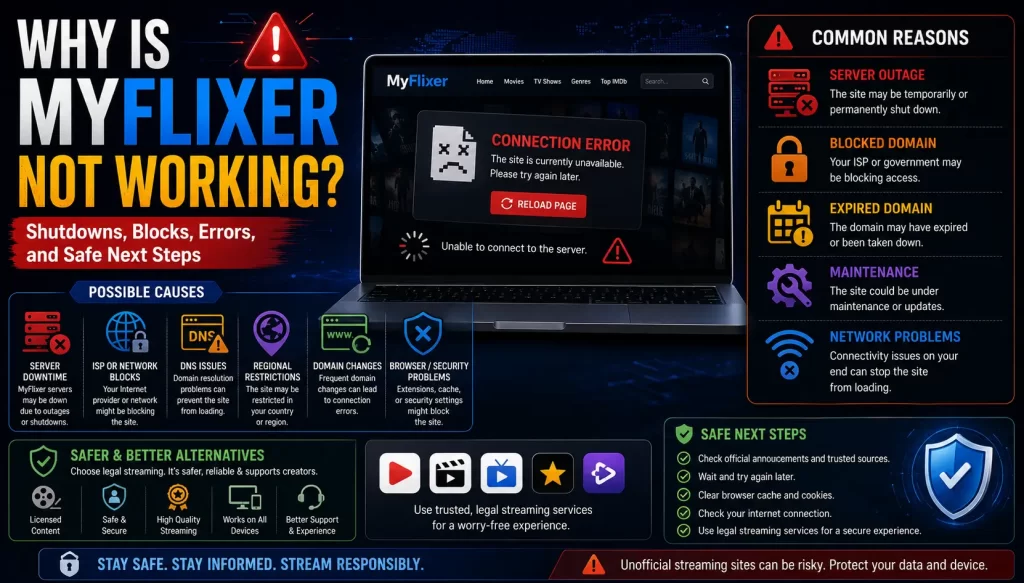
MyFlixer may not be working because of shutdowns, regional blocking, domain changes, server problems, backend failure, fake clone sites, broken video sources, browser errors, app confusion, or redirects to unsafe pages.
MyFlixer has appeared in anti-piracy reporting. The Guardian reported in 2024 that FMovies and affiliated sites, including MyFlixer, were shut down after action involving ACE and Hanoi police. The report said the wider network had more than 6.7 billion visits between January 2023 and June 2024. You can read that report here: FMovies piracy ring shutdown report.
Some MyFlixer-related domains have also been part of site-blocking activity. The Intellectual Property Office of the Philippines said it recommended blocking MyFlixer-related sites after complaints from the MPA. You can read the statement here: IPOPHL piracy-site blocking statement.
The safest next step is to avoid mirrors, proxies, replacement domains, and APK downloads. Use legal streaming platforms or legal discovery tools instead.
Related guide: What Is MyFlixer? Safety, Legality, Risks, and Legal Alternatives Explained
Main Reasons MyFlixer May Not Work
There is not always one clear reason. MyFlixer-related pages can fail for different reasons depending on the domain, region, device, app, or clone site a user is trying to open.
Common reasons include:
- The site may have been shut down.
- The domain may be blocked in your region.
- The server may be offline.
- The backend may have failed.
- The page may be a fake clone.
- The video source may be broken.
- The site may be redirecting users.
- Your browser may be blocking unsafe content.
- Your antivirus may block the page.
- The app you found may not be a streaming app.
- The APK may be unsafe or fake.
Because MyFlixer is not a normal verified streaming platform, users should expect instability and confusion around pages using the name.
Shutdowns and Enforcement Action
One reason MyFlixer may not work is enforcement action against piracy-linked sites.
In 2024, The Guardian reported that FMovies and affiliated sites, including MyFlixer, were shut down after action involving the Alliance for Creativity and Entertainment and Hanoi police. That report described the operation as one of the largest piracy networks in the world.
In 2020, TorrentFreak also reported that ACE obtained a DMCA subpoena requiring Cloudflare to share account information connected to several pirate streaming domains, including MyFlixer. You can read the report here: Cloudflare must expose operators of pirate streaming sites.
When a piracy-linked site is affected by legal or enforcement action, users may see downtime, domain changes, redirects, copycat pages, or fake replacement sites. These are strong reasons to avoid searching for a new version.
Related guide: Is MyFlixer Legal? Copyright Issues and Streaming Risks Explained
Regional Blocking and ISP Restrictions
Another reason MyFlixer may not work is regional blocking. Some countries ask internet service providers to block piracy-related domains after complaints from rights holders or anti-piracy groups.
In 2024, IPOPHL said it issued requests to disable access to six domains and subdomains found pirating movies. Its statement named MyFlixer-related domains among the sites recommended for blocking.
If a site is blocked, users may see:
- A blocked-site notice
- A DNS error
- A connection error
- A blank page
- A browser warning
- A message from an internet provider
Do not try to bypass a block through mirrors or proxies. That can increase safety and legal risk. Use legal alternatives instead.
Backend or Server Problems
Unauthorized streaming sites can also stop working because of server or backend problems.
In 2026, TorrentFreak reported that several pirate sites using popular brands such as Sflix, Watchseries, HDtoday, Fmovies, and Myflixerz became unreachable after backend infrastructure problems. The report said many of the domains returned Cloudflare 521 errors, suggesting that origin servers refused the connection. You can read the report here: Pirate sites go dark as backend infrastructure fails.
This kind of issue can affect many sites at once, especially if different domains rely on the same backend provider, video host, or shared infrastructure.
For users, the important point is simple: unstable infrastructure is common in piracy-linked streaming ecosystems. A broken page does not mean users should search for another unsafe page.
Clone Sites and Fake MyFlixer Pages
When MyFlixer is not working, fake clone sites often become more dangerous. Users may search for a new domain and land on a page that only pretends to be MyFlixer.
Clone sites may use phrases like:
- Official MyFlixer
- New MyFlixer
- MyFlixer mirror
- MyFlixer proxy
- MyFlixer unblocked
- Working MyFlixer
- MyFlixer replacement
- MyFlixer app download
These phrases are red flags. A clone site can copy a familiar name but still be unsafe. It may show ads, push APK downloads, collect personal data, ask for payments, or redirect users to unrelated websites.
Related guide: MyFlixer Clone Sites: How to Spot Fake Streaming Websites
Video Not Loading or Player Errors
Sometimes the site loads, but the video does not play. This can happen for several reasons.
Possible causes include:
- The video source is gone.
- The embedded player is broken.
- The host removed the file.
- The video server is overloaded.
- The page is using a fake player.
- The browser blocks mixed or unsafe content.
- An ad script is blocking the player.
- The site is redirecting instead of playing video.
Do not download a new player, extension, codec, or APK to fix the video. Fake update prompts are a common malware risk on unsafe streaming pages.
Redirects, Pop-Ups, and Fake Buttons
If MyFlixer opens new tabs, redirects to unrelated sites, or shows multiple play buttons, that is a safety warning.
Unsafe pages may use:
- Fake play buttons
- Fake download buttons
- Fake video-player updates
- Fake browser updates
- Fake CAPTCHA pages
- Fake virus warnings
- Browser notification prompts
- Adult, gambling, or scam redirects
- Payment verification pages
The U.S. Federal Trade Commission warns that websites offering free movies and TV shows can infect computers with malware, and that illegal streaming apps and add-ons can expose users to malware. You can read the FTC guidance here: Malware from illegal video streaming apps.
Related guide: Is MyFlixer Safe? Malware, Fake Sites, Ads, and Privacy Risks Explained
MyFlixer App Confusion
Some users think MyFlixer is not working because they downloaded an app and expected it to stream movies. But some app-store listings using the MyFlixer name describe themselves as movie discovery or information apps rather than full streaming apps.
This means the app may show trailers, movie details, cast information, ratings, or recommendations, but may not stream movies or TV shows.
Users should be careful with:
- Apps with unclear developers
- Apps that send users to external websites
- Apps that ask for unusual permissions
- Apps that claim to stream every new movie for free
- APK files from third-party websites
- Fake app download pages
Related guide: Is There a MyFlixer App? App-Store Listings, APK Risks, and Safer Options
Browser, Device, or Network Issues
Not every loading problem is caused by enforcement or blocking. Sometimes the issue is local to your browser, device, or network.
Basic technical causes can include:
- Browser cache problems
- Outdated browser version
- Security extension blocking the page
- Antivirus warning
- DNS problems
- Weak internet connection
- Mobile data restrictions
- Device storage problems
However, fixing your browser does not fix the larger safety and legal concerns around MyFlixer-style sites. If a page needs you to disable security tools, install extensions, or allow notifications, do not continue.
Can a VPN Fix MyFlixer?
A VPN should not be treated as a safe fix for MyFlixer.
A VPN may change how your internet traffic is routed, but it does not make an unauthorized stream legal. It also does not protect you from fake play buttons, phishing pages, malware, unsafe APKs, clone sites, or payment scams.
Do not use a VPN to bypass blocked or unauthorized streaming sites. The safer option is to choose legal services available in your region.
What Not to Do When MyFlixer Is Down
When MyFlixer is not working, avoid these actions:
- Do not search for working MyFlixer mirrors.
- Do not use MyFlixer proxy pages.
- Do not download MyFlixer APK files.
- Do not install unknown browser extensions.
- Do not allow browser notifications from unknown sites.
- Do not enter card details for “free verification.”
- Do not reuse important passwords.
- Do not follow random social media links to new domains.
- Do not disable antivirus or browser protections.
- Do not assume a clone site is official.
These actions can turn a simple loading problem into a security, privacy, or payment problem.
Safe Steps You Can Take
If you already visited a MyFlixer-related page and it behaved strangely, take these safer steps:
- Close suspicious pages. Stop clicking pop-ups, fake players, or redirects.
- Remove notification permissions. Delete unknown sites from your browser notification settings.
- Remove unknown extensions. Check your browser for unfamiliar add-ons.
- Uninstall unknown apps or APKs. Remove anything installed after visiting the site.
- Run a malware scan. Use a trusted security tool.
- Change reused passwords. Start with email, banking, social media, and work accounts.
- Enable two-factor authentication. Protect important accounts.
- Monitor payment accounts. If you entered card details, check statements and contact your bank if needed.
If you only want to know where a movie is available, use a legal discovery tool instead of searching for replacement streaming domains.
Legal Alternatives to Use Instead
If MyFlixer is not working, the safest replacement is a legal streaming platform or legal discovery tool.
Legal options may include:
- Paid streaming services such as Netflix, Prime Video, Disney+, Apple TV, Hulu, Max, Paramount+, Peacock, and regional services
- Free legal ad-supported services such as Tubi, Pluto TV, Plex, and broadcaster-owned services where available
- Digital rental and purchase platforms such as YouTube Movies, Google TV, Apple TV, and Prime Video rentals
- Official broadcaster apps and TV-network apps
- Library-linked streaming services where available
- Legal discovery tools such as JustWatch
JustWatch helps users find where movies, TV shows, and sports are legally available across streaming services. You can visit it here: JustWatch.
Related guide: Best Legal MyFlixer Alternatives for Movies and TV Shows
MyFlixer Not Working: Cause and Safer Response
This table explains common causes and safer responses.
| Problem | Possible Cause | Safer Response |
|---|---|---|
| Site will not load | Shutdown, block, server problem, or fake domain | Use a legal streaming platform or discovery tool |
| Video will not play | Broken source, fake player, removed file, or unsafe ad script | Do not download players, extensions, or APKs |
| Blocked message appears | Regional or ISP-level blocking | Do not use mirrors or proxies |
| Many pop-ups appear | Ad-heavy or unsafe page | Close the page and remove notification permissions |
| App does not stream | It may be a discovery app, not a streaming app | Read the listing and use official legal apps |
| APK asks for permissions | Possible unsafe app or fake download | Do not install unknown APK files |
Final Verdict
MyFlixer may stop working for many reasons, including shutdowns, site blocking, server problems, backend failure, fake clones, broken video sources, app confusion, or unsafe redirects.
The safest response is not to search for mirrors, proxies, replacement domains, or APK downloads. Those searches can increase malware, phishing, privacy, payment, and copyright risks.
If MyFlixer is not working, use legal streaming platforms, official apps, rentals, free legal ad-supported services, or legal discovery tools instead.
FAQs About MyFlixer Not Working
Why is MyFlixer not working?
MyFlixer may not work because of shutdowns, regional blocking, server problems, backend failure, clone-site confusion, broken video sources, browser warnings, or app confusion.
Is MyFlixer down?
It may be down for some users, blocked in some regions, or replaced by fake clone pages. Availability can change and may vary by location.
Was MyFlixer shut down?
MyFlixer was named in 2024 reporting about the FMovies piracy network shutdown. Some MyFlixer-related domains have also been connected to blocking activity.
Why does MyFlixer show a blocked message?
A blocked message may appear because of regional site blocking, ISP restrictions, legal complaints, browser protections, or security tools.
Should I use a MyFlixer mirror?
No. Mirror sites can be unsafe and may expose users to malware, phishing, fake payment pages, privacy tracking, and copyright risk.
Should I use a MyFlixer proxy?
No. Proxy pages are not safe legal alternatives and may be fake, unsafe, or used to redirect users to risky pages.
Why does the MyFlixer video not load?
The video source may be broken, removed, overloaded, blocked, or replaced by a fake player. Do not download a player, extension, or APK to fix it.
Why does MyFlixer redirect me to other sites?
Redirects may come from unsafe ads, fake play buttons, clone pages, or scam pages. Close the page if it redirects repeatedly.
Can a VPN make MyFlixer work?
A VPN is not a safe fix. It does not make unauthorized streaming legal and does not protect users from fake sites, malware, phishing, or unsafe APKs.
What should I use instead of MyFlixer?
Use legal streaming platforms, official broadcaster apps, digital rentals, free legal ad-supported platforms, or legal discovery tools such as JustWatch.
Sources and Further Reading
- The Guardian: FMovies piracy ring shutdown including MyFlixer
- TorrentFreak: Cloudflare must expose operators of pirate streaming sites
- IPOPHL: Blocking requests for piracy sites including MyFlixer-related domains
- TorrentFreak: Myflixerz and other pirate sites go dark as backend infrastructure fails
- Federal Trade Commission: Malware from illegal video streaming apps
- JustWatch: Streaming availability search
Disclaimer
This article is for general educational and informational purposes only. It does not provide legal advice, cybersecurity advice, financial advice, mirror links, proxy links, APK downloads, or instructions for accessing unauthorized streaming services. Site availability, app listings, enforcement actions, blocking rules, and streaming catalogues vary by country and can change over time. Users should rely on licensed streaming platforms, official app stores, cybersecurity professionals, banks, payment providers, and legal sources whenever possible.