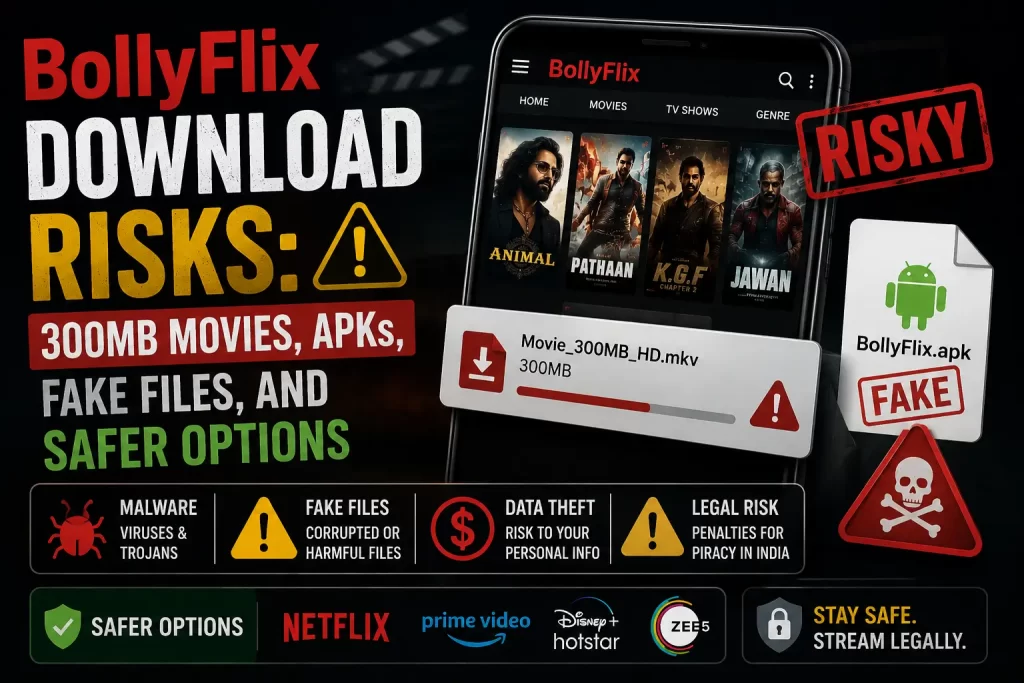

BollyFlix is often searched with download-focused terms such as “BollyFlix download,” “300MB movies,” “480p,” “720p,” “1080p,” “dual audio,” “Hindi dubbed,” and “South movie download.” That makes this topic different from ordinary streaming safety.
The biggest concern is that download pages can put files directly on a user’s device. A file may look like a movie, but it may be fake, unsafe, incomplete, misleading, or connected to malware, adware, APK traps, redirects, and copyright risk.
This guide explains the main BollyFlix download risks in simple terms. It covers fake download buttons, compressed movie files, quality labels, APK downloads, Telegram-style links, file extensions, pop-ups, redirects, malware, privacy issues, and safer legal ways to watch Indian movies and web series.
Important note: This article is for educational purposes only. It does not provide BollyFlix download links, mirror links, proxy links, Telegram channel names, APK files, working domains, movie download instructions, or bypass steps.
Quick Answer: Is BollyFlix Download Safe?
No. BollyFlix downloads should not be treated as safe.
Download-style movie pages can expose users to fake files, malware, adware, spyware, APK traps, browser notification spam, redirects, phishing pages, and copyright risk. The risk is higher when users are asked to download files from unknown sources instead of watching through a licensed platform.
A WIPO presentation on malware and piracy notes that, in India, pirate sites carry a 59% risk of malware infection. The U.S. Federal Trade Commission also warns that illegal video streaming apps and websites can expose users to malware and data theft.
The safer choice is to avoid BollyFlix-style downloads and use legal streaming platforms, rental platforms, official apps, or legal discovery tools instead.
Related guide: What Is BollyFlix? Safety, Legality, Download Risks, and Legal Alternatives Explained
Why Movie Downloads Carry Extra Risk
Streaming and downloading are not the same. When users stream through a legal platform, the video normally plays inside a controlled app or website. When users download from an unknown page, they may save a file directly to their device.
That file may not be what the page says it is. It could be a fake movie file, broken file, compressed archive, APK disguised as entertainment content, shortcut file, installer, password-locked archive, or file linked to malware or adware.
This is why download-heavy sites need extra caution. A button that says “movie download” does not prove the file is safe or legal.
Common BollyFlix Download Searches
BollyFlix download searches often include file-size, language, and quality terms. These terms are used to attract users who want smaller files, Hindi audio, or specific video quality.
- BollyFlix download
- BollyFlix 300MB movies
- BollyFlix Bollywood movie download
- BollyFlix South Hindi dubbed download
- BollyFlix 480p download
- BollyFlix 720p download
- BollyFlix 1080p download
- BollyFlix dual audio movies
- BollyFlix web series download
- BollyFlix APK download
These keywords do not prove that the content is safe or licensed. They only describe what users are searching for.
Risky File Types and File Names
A movie download should normally be a video file from a trusted legal source. On unknown download pages, file names can be misleading.
Be careful with files that:
- Do not clearly look like video files
- Ask you to run an installer
- Ask for a password from another page
- Are inside unknown compressed folders
- Open as shortcuts instead of video files
- Tell you to install a player or codec
- Lead to another website instead of playing
Do not open files if you are unsure what they are. Delete suspicious downloads and run a trusted security scan.
300MB and Compressed Movie File Risks
Many users search for 300MB movies because smaller files are easier to download on slower connections or limited storage. But compressed movie files from unknown sources can be risky.
A small file size does not prove that a file is safe. It may be a low-quality video, a fake file, a password-protected archive, an installer, or something unrelated to the movie.
Compressed file risks include:
- Hidden malware inside archives
- Fake password pages
- Files that need unknown extraction tools
- Misleading movie names
- Broken files that push users to another download
- Extra ad pages before the file appears
If a page asks you to download extra tools to open a file, leave the page.
480p, 720p, 1080p, HD, and Dual Audio Risks
Quality labels are common in BollyFlix-style searches. Users may look for 480p to save data, 720p for balance, 1080p for HD quality, or dual audio for Hindi and another language.
These labels do not prove that a download is safe, real, or legal. A page can use these labels to make a file look more trustworthy.
Be careful with pages that use quality labels but also show:
- Several download buttons
- Too many pop-ups
- Link shorteners
- APK prompts
- Fake virus warnings
- Survey steps
- Payment verification pages
- No clear legal source
A legal platform will normally provide quality options inside its official player or app, not through unclear file links.
BollyFlix APK Download Risks
Users should avoid BollyFlix APK downloads from third-party websites.
An APK is an Android installation file. APK files can be legitimate, but APK downloads from unknown websites can bypass normal app-store checks and may include unwanted behavior.
BollyFlix APK risks can include:
- Malware hidden inside the app
- Adware and pop-ups
- Spyware or tracking
- Apps that redirect to unsafe pages
- Apps that request too many permissions
- Apps that are difficult to remove
- Fake streaming or download features
- Payment or login scams
Use official apps from legal streaming platforms instead.
Related guide: Is There a BollyFlix App? App-Store Listings, APK Risks, and Safer Legal Apps
Link Shorteners, Redirects, and Ad Pages
Movie download pages often send users through link shorteners and ad pages before showing a file. Each extra step can increase risk.
Redirect chains may lead to:
- Fake download pages
- Browser notification prompts
- Adult or gambling ads
- Fake prize pages
- APK download pages
- Fake virus alerts
- Phishing forms
- Payment verification pages
A legal movie platform should not require users to pass through several ad pages before watching or downloading content.
Telegram and File-Sharing Risks
Some movie piracy ecosystems use Telegram channels, file-sharing pages, bots, and link shorteners to spread movie files. Users should be careful with any BollyFlix-related Telegram or file-sharing page.
Telegram-style risks include:
- Fake movie files
- Malware links
- Impersonation channels
- Scam groups
- Link shortener traps
- APK redirects
- Copyright risk from unauthorized files
Do not join channels that offer pirated movies, new releases, or unauthorized download links.
Related guide: BollyFlix Telegram Risks: Movie Piracy Channels, Fake Links, and Malware Concerns
Malware, Adware, and Spyware Risks
Unsafe movie download pages can expose users to several types of unwanted software.
Common risks include:
- Malware: Harmful software that can damage a device or steal data.
- Adware: Software that shows unwanted ads or pop-ups.
- Spyware: Software that may track activity or collect information.
- Browser hijackers: Tools that change browser settings.
- Potentially unwanted programs: Apps that behave in annoying or risky ways.
Illegal streaming and download ecosystems can also expose users to deceptive ads, malicious browser extensions, scams, and extensive tracking. That is why unknown movie download pages are not worth the risk.
Related guide: Is BollyFlix Safe? Malware, Pop-Ups, Fake Downloads, and Privacy Risks Explained
Privacy and Tracking Risks
BollyFlix-style download pages may collect or expose user data through ads, redirects, cookies, tracking scripts, forms, and app permissions.
Privacy risks can include:
- IP address tracking
- Browser fingerprinting
- Cookie tracking
- Advertising trackers
- Device information collection
- Email collection
- Payment-data exposure
- No clear data deletion option
Legal platforms can also collect data, but they normally provide privacy policies, support pages, and account controls. Unknown download sites often do not provide that transparency.
Copyright and Legal Risks
BollyFlix-style download pages can also create copyright risk. A free download is not automatically legal just because a page is easy to open.
India has specific anti-piracy measures. The Press Information Bureau explains that the Cinematograph Act prohibits unauthorized recording and transmission of films and provides penalties for violations. You can read the PIB release here: Cinematograph Amendment Act anti-piracy release.
Users should not assume that 300MB, 720p, Hindi dubbed, or dual audio movie downloads are legal unless the source clearly has rights to provide them.
Related guide: Is BollyFlix Legal? Copyright Issues, Movie Piracy, and India-Specific Risks
What to Do If You Already Downloaded Something
If you already downloaded a file from a BollyFlix-style page, take simple safety steps.
- Do not open unknown files. If the file looks suspicious, delete it.
- Do not run installers. A movie should not require an installer.
- Do not install unknown APKs. Delete the APK if it came from a third-party page.
- Remove browser notification permissions. Block unknown sites from sending notifications.
- Check browser extensions. Remove anything unfamiliar.
- Run a malware scan. Use a trusted security tool.
- Change reused passwords. Start with email, banking, social, and work accounts.
- Monitor payments. Contact your bank if you entered card details.
If the file has already been opened and the device is behaving strangely, consider getting help from a trusted cybersecurity professional.
What Safe Legal Downloads Look Like
Some legal platforms allow downloads for offline viewing. The key difference is that these downloads happen inside official apps or trusted platforms.
A safer legal download usually has these signs:
- It comes from an official app or verified platform
- The platform has clear company ownership
- The content is licensed
- The download stays inside the app where required
- The app is available from an official app store
- The platform has a privacy policy and support page
- There are no fake download buttons or redirect chains
Legal offline viewing is different from downloading unknown files from piracy-style websites.
Safer Legal Alternatives
The safest alternative to BollyFlix downloads is to use legal platforms for Bollywood, South Indian, Hindi dubbed, regional, and Indian web-series content.
Legal options may include:
- Netflix
- Prime Video
- Disney+ Hotstar
- JioCinema
- ZEE5
- SonyLIV
- Apple TV
- YouTube Movies
- Google TV
- Official broadcaster apps
- Regional streaming platforms where available
- Legal discovery tools such as JustWatch
JustWatch helps users find where movies and shows are legally available across different streaming services. You can visit it here: JustWatch.
Related guide: Best Legal BollyFlix Alternatives for Bollywood, South Indian, and Hindi Dubbed Movies
BollyFlix Downloads vs Legal Downloads
This table explains the difference between BollyFlix-style downloads and legal offline viewing.
| Factor | BollyFlix-Style Downloads | Legal Platform Downloads |
|---|---|---|
| Content rights | Often unclear or questionable | Licensed content agreements |
| File safety | Risky because files come from unknown pages | Controlled inside official apps where allowed |
| Download buttons | May include fake buttons, ads, and redirects | Clear download feature inside app |
| APK risk | May push unknown APK files | Official app-store apps |
| Privacy | Often unclear | Published privacy policies and account settings |
| Legal certainty | May carry copyright risk | Designed for lawful viewing |
Final Verdict
BollyFlix downloads should not be treated as safe. The main risks include fake download buttons, misleading file names, compressed archives, APK traps, pop-ups, redirects, Telegram links, malware, privacy tracking, and copyright concerns.
A movie file from an unknown page is not worth the risk. Use legal streaming platforms, rental services, official apps, or legal discovery tools instead.
FAQs About BollyFlix Download Risks
Is BollyFlix download safe?
No. BollyFlix-style downloads can expose users to fake files, malware, APK traps, redirects, pop-ups, and copyright risk.
Are BollyFlix 300MB movies safe?
No. A 300MB label only describes a small file size. It does not prove the file is safe, real, or legal.
Can BollyFlix downloads contain malware?
Yes. Unknown movie downloads can contain malware, adware, spyware, fake installers, risky archives, or files that redirect users to unsafe pages.
Is BollyFlix APK download safe?
No. Users should avoid BollyFlix APK downloads from third-party websites because unknown APK files can contain malware or unwanted permissions.
Are 720p and 1080p BollyFlix downloads safer?
No. Video quality labels do not prove safety or legality. A file can claim to be 720p or 1080p and still be fake or unsafe.
Are dual audio BollyFlix downloads legal?
Dual audio labels do not prove legal rights. A movie download is legal only when the platform has permission to provide it.
What should I do if I downloaded a suspicious file?
Do not open it. Delete the file, remove suspicious browser permissions, check extensions, run a malware scan, and change reused passwords if needed.
What should I use instead of BollyFlix downloads?
Use legal streaming platforms, official broadcaster apps, rental platforms, legal offline-download features, or discovery tools such as JustWatch.
Sources and Further Reading
Disclaimer
This article is for general educational and informational purposes only. It does not provide legal advice, cybersecurity advice, financial advice, download links, APK links, mirror links, proxy links, Telegram channel names, or instructions for accessing unauthorized streaming or download services. Users should rely on licensed streaming platforms, official app stores, banks, cybersecurity professionals, and legal sources whenever possible.